


WinRushGo Casino Mobile Version with Access Through Safari and Chrome
WinRushGo Casino does not have a dedicated smartphone application, although the site provides installation instructions. These explain how to add a shortcut to the home screen rather than download software from the App Store or Google Play. The site opens in a browser, retains the main account features, and does not require updates through an app store. This approach works on both iPhones and Android devices, although mobile browsers have certain limitations.
The main difference between a phone and a computer lies less in the selection of entertainment than in how everything fits on the screen. Watching a live broadcast, reading the rules, and managing wagers simultaneously can be more difficult on a smaller display. The mobile experience therefore depends largely on the format chosen and how the developer has arranged its controls.
Why the Site Offers an Install App Option
The label Install App may suggest that WinRushGo Casino has developed a standalone mobile application. In fact, the instructions point to browser features that allow the website to be saved to a phone’s home screen.
On an iPhone, this is done through Safari. After opening the site, tap Share, select Add to Home Screen, and confirm. A WinRushGo Casino shortcut will then appear alongside the other icons.
On Android, the process takes place in Chrome. The browser menu includes an Install app option, although Add to Home Screen may appear instead, depending on the Chrome version and device settings.
The resulting icon provides a convenient way to return to the site. Removing it does not delete the account or any funds associated with it. Those details are stored by the gaming service, not within the shortcut.
There is no separate APK or native iOS application for WinRushGo Casino App. Downloading installation files with similar names from third-party sources is therefore unnecessary.
The Gaming Library on a Phone Screen
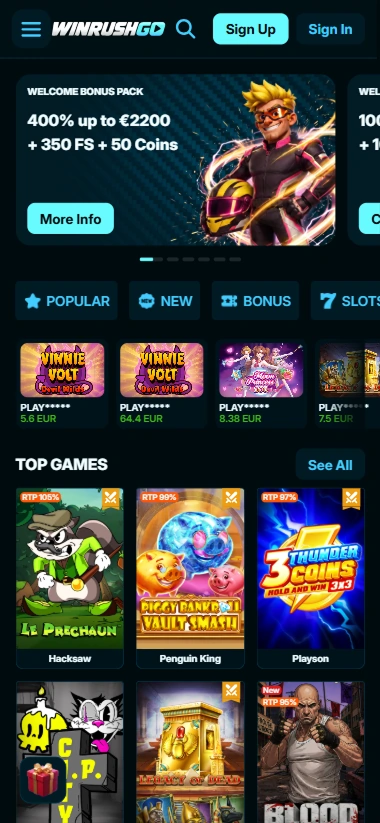
WinRushGo Casino features thousands of slots, live tables, crash titles, and other formats. Developers take different approaches to mobile interface design, so the experience varies from one release to another.
In many slots, the main controls sit close to the reels. Users can adjust the wager, start a spin, and open the rules when needed. Titles with several special features may place additional settings in separate menus.
Crash formats, including releases from Spribe and Gamzix, involve a different type of interaction. Each round unfolds over time as a multiplier changes. Depending on the mechanics, participants may need to act before the round ends.
At live dealer tables, the screen is divided between the video feed and wagering controls. Roulette, blackjack, and game shows use different layouts. The more elements a format requires, the more noticeable the limitations of a small display become.
Mobile usability cannot therefore be judged uniformly across the entire library. Even two slots from the same developer may use screen space differently, while a live table with extensive controls can demand more attention than a conventional slot.
When Landscape Orientation Works Better
Screen orientation affects the arrangement of the playing area, particularly when the interface contains many small elements. Portrait mode is suitable for most everyday actions, but landscape orientation can sometimes make detailed paytables or video broadcasts easier to view.
Rotation support depends on the individual title and its mobile design. Not every release rearranges its controls when the device is turned.
Where both orientations are supported, users can choose whichever makes wager amounts, special feature rules, and other important information easier to read.
Sporting Events and Changing Odds
On a phone, navigating the sportsbook generally involves more movement between sections than using a typical slot. Competition lists, individual matches, available markets, and the bet slip all have to fit within a limited display area.
Changes in odds deserve particular attention when selecting an outcome. This is especially relevant to in-play betting: an event continues to unfold after a market has been selected, and the quoted price may change before the bet slip is confirmed.
Such changes are generally less immediate with pre-match markets, although their odds are not fixed either.
The sportsbook covers a range of events, including traditional sports and esports. Accessing these markets from a phone does not alter settlement rules or the conditions attached to individual sports promotions.
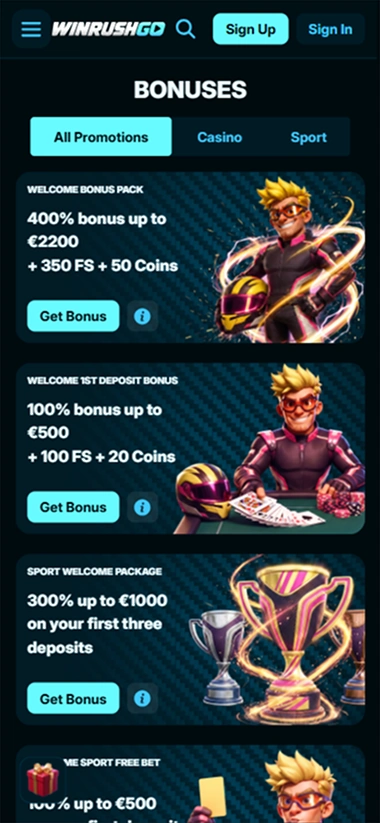
An overview of the site, its sportsbook, and promotional programs is available on the main page.
What Happens When You Switch Away From an Active Session
Using a smartphone sometimes means leaving the browser temporarily. A customer might open a banking app to authorize a transaction, answer a phone call, or check a message.
The operating system may suspend an inactive browser tab. If available memory becomes limited, the page may reload when the user returns.
This matters particularly during an active round. A frozen screen does not necessarily mean that the server has canceled a wager or failed to record the outcome. Once the connection is restored, the result and account balance should be checked before repeating any action.
Different interruptions can have different consequences:
| Situation | What to Keep in Mind |
|---|---|
| Brief internet outage | The page may stop updating |
| Switching between Wi-Fi and mobile data | The connection to the gaming server may be interrupted |
| Returning to an inactive tab | The browser may reload the page |
| Interrupted video broadcast | The connection may need to be restored |
| Switching to a banking app | Check the transaction status after authorization |
Playing without an internet connection is not possible. The server must receive user actions and return the corresponding results.
How Browser Access Differs From a Native App
Without a dedicated application, the way WinRushGo Casino works on a smartphone depends on the browser and operating system. This affects saved sessions, permissions, tab management, and page updates.
One advantage is that users do not need to install new software whenever the website changes. Interface updates become available directly through the browser.
However, browser-based access should not automatically be assumed to include the functions of a native application. For example, a dedicated push notification system has not been confirmed for WinRushGo Casino. Adding a shortcut to the home screen does not provide such functionality by itself.
An internet connection is required to access the site. Saving a shortcut does not download slots to the device for offline use.
Account Access on iPhone and Android
Smartphone users sign in through their existing WinRushGo Casino profile. Access is available by email, Google, or Twitch.
There is no need to create another account for a mobile device. Once signed in, customers can use the available account features, including checking their balance and viewing transaction details.
The account currency is EUR. This is particularly relevant when using financial services from European countries whose national currencies differ from the euro. Any conversion depends on the terms applied by the bank or other provider.
If a deposit requires authorization through a banking app, users should return to the site afterward and confirm that the funds have been credited. The transaction should not be repeated before its status has been checked.
Cryptocurrency transfers require the receiving address and selected network to match the transaction instructions exactly. Incorrect details can result in irreversible loss of funds.
Handling Documents on a Smartphone
WinRushGo Casino requires identity verification before the first withdrawal. This may involve an identity document, recent proof of address, and additional information about the financial instrument used.
A phone camera can be used to prepare photographs of the required documents. However, the text must remain readable, with adequate lighting and no reflections obscuring important details.
Images with cropped edges or illegible information may have to be submitted again. Proof of address should generally have been issued within the previous 90 days.
Documents must be submitted according to the operator’s designated procedure. Confidential information should not be shared through third-party chats or unofficial channels.
Limitations of Mobile Access
Browser-based access does not require a separate installation, but certain smartphone characteristics can affect how the site works.
Watching live tables for extended periods may consume substantial mobile data because video is streamed continuously. An unstable connection can cause interruptions in the broadcast or delays in the interface.
Detailed rules can also be harder to read on a small screen. This is particularly noticeable in slots with several bonus features and live tables offering numerous wagering options.
Saved sign-in sessions present another consideration. If several people use the same phone, an account left open may become accessible to someone else. A device screen lock and signing out after using a borrowed smartphone can help protect personal information.
Having a WinRushGo Casino shortcut on the home screen does not change country restrictions, financial rules, or the availability of individual titles. These are determined by the operator and the conditions attached to specific products.